
AI Chatbot Demo: Launch a Working Bot in 10 Minutes
An AI chatbot demo should prove value fast with measurable outputs, not a feature tour. In this guide, you will launch a working CX Genie bot in under 10 minutes, track what it produces (tickets deflected, leads captured, faster replies), and know exactly when to upgrade from solo testing to a team rollout.
- A demo is only useful if it produces measurable outputs: deflection, lead capture, and time saved.
- You can reach first value in under 10 minutes by starting with 10 to 20 FAQs and one lead capture flow.
- Weekly retention comes from a simple habit: review unanswered questions and update content.
- Upgrade to team when you need roles, approvals, shared workflows, and reporting across channels.
What a good AI chatbot demo should prove
Most chatbot demos fail because they show “capabilities” instead of outcomes. For a B2B SaaS or SMB team, a demo should prove three things quickly:
- Time to first value: can you get a bot answering real questions on your site in under 10 minutes?
- Output quality: does it resolve common questions accurately enough to reduce tickets?
- Operational fit: can your team maintain it weekly without a specialist?
CX Genie is built for customer engagement across the full flow: marketing automation through after sale support. So your demo should connect the loop: capture intent, answer questions, and route to a human when needed.
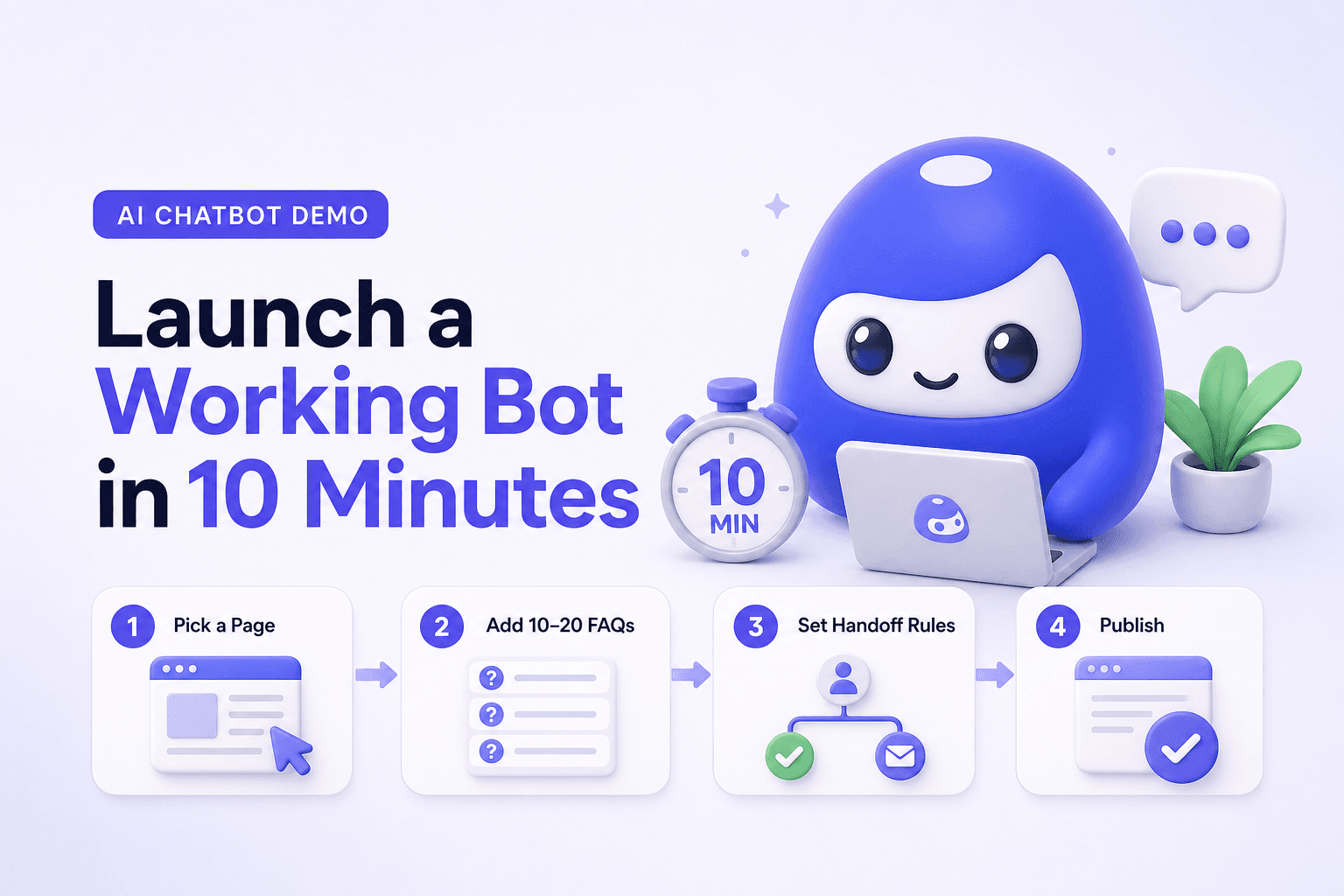
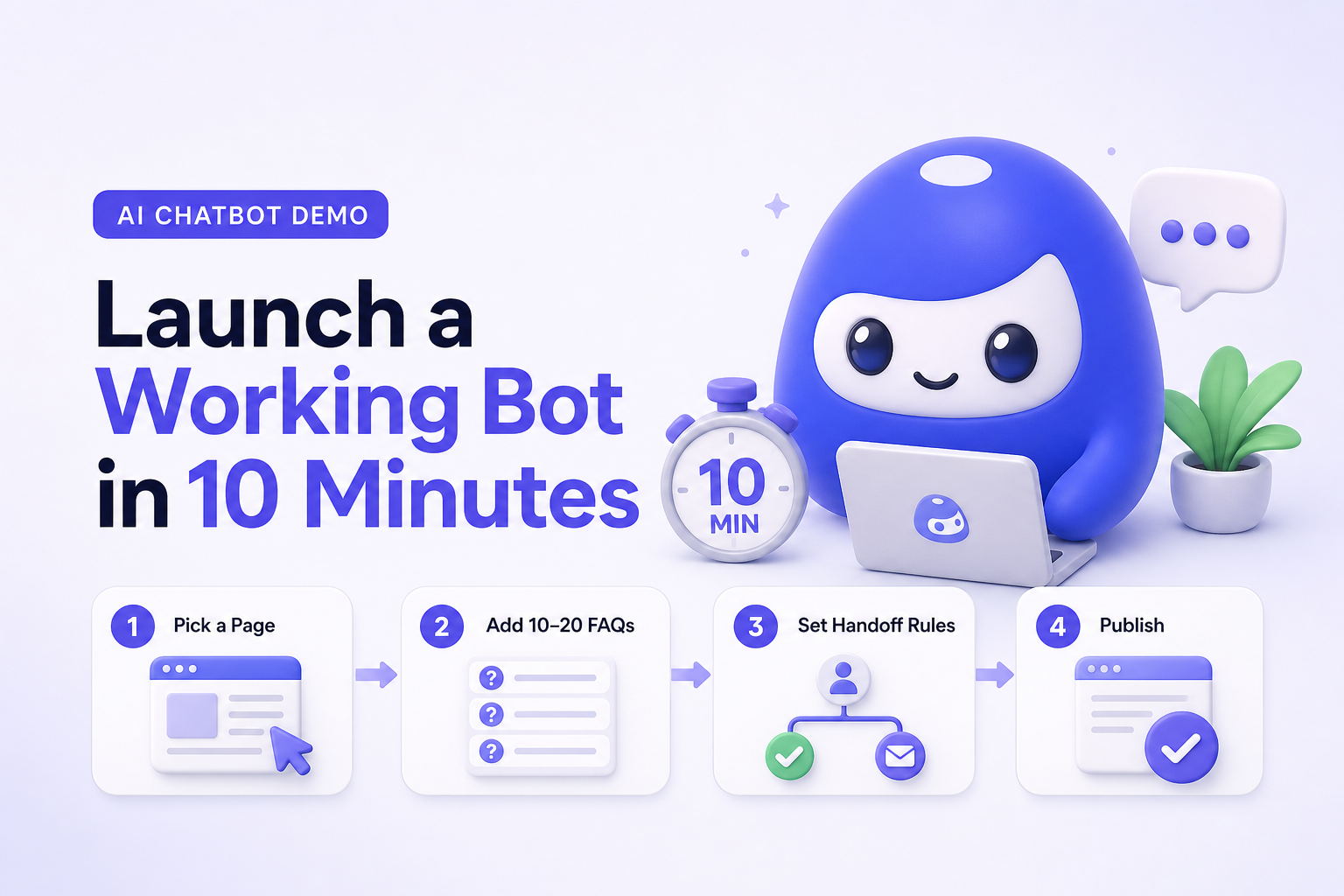
The 10 minute AI chatbot demo setup (CX Genie)
This is the fastest path to a meaningful demo. The goal is not perfection. The goal is a bot that produces trackable outcomes today.
Step 1 (2 minutes): Pick one high volume entry point
- Choose one page where questions cluster: pricing, booking, shipping, returns, onboarding, or help center.
- Define the demo scope in one sentence: “Answer top FAQs and capture leads when confidence is low.”
Step 2 (3 minutes): Add a small knowledge set (10 to 20 Q&As)
Start with the questions your team already answers weekly. Good sources:
- Top support macros or canned replies
- Your website FAQ section
- Sales objections from chat or email
Output you want: the bot can answer at least 5 common questions end to end without escalation.
Step 3 (2 minutes): Set one lead capture or handoff rule
Define one clear rule for when the bot should switch from “answer” to “capture or route.” Examples:
- If a user asks about pricing or implementation, ask for email and company size
- If the bot is unsure, offer “Talk to support” and route the conversation to your support workflow
Output you want: at least 1 qualified lead or 1 correctly routed support request during the demo window.
Step 4 (3 minutes): Publish to one channel and test 5 real prompts
Put the widget on your site (or a staging page) and test prompts like:
- “How do I reset my password?”
- “Can I change my plan?”
- “Do you integrate with my tools?”
- “I need an invoice with company details.”
- “I want to talk to a human.”
Time to first value target: within 10 minutes, you should see at least one conversation that ends in a resolved answer, a captured lead, or a routed request.
In small teams, the biggest hidden cost is not the chatbot tool. It is the maintenance workflow. A demo is “real” only if you can assign ownership for weekly review of unanswered questions, and if updates take minutes, not meetings. Treat the bot like a living FAQ with analytics: every unanswered question is a product and content signal.
Outputs to measure in the first week
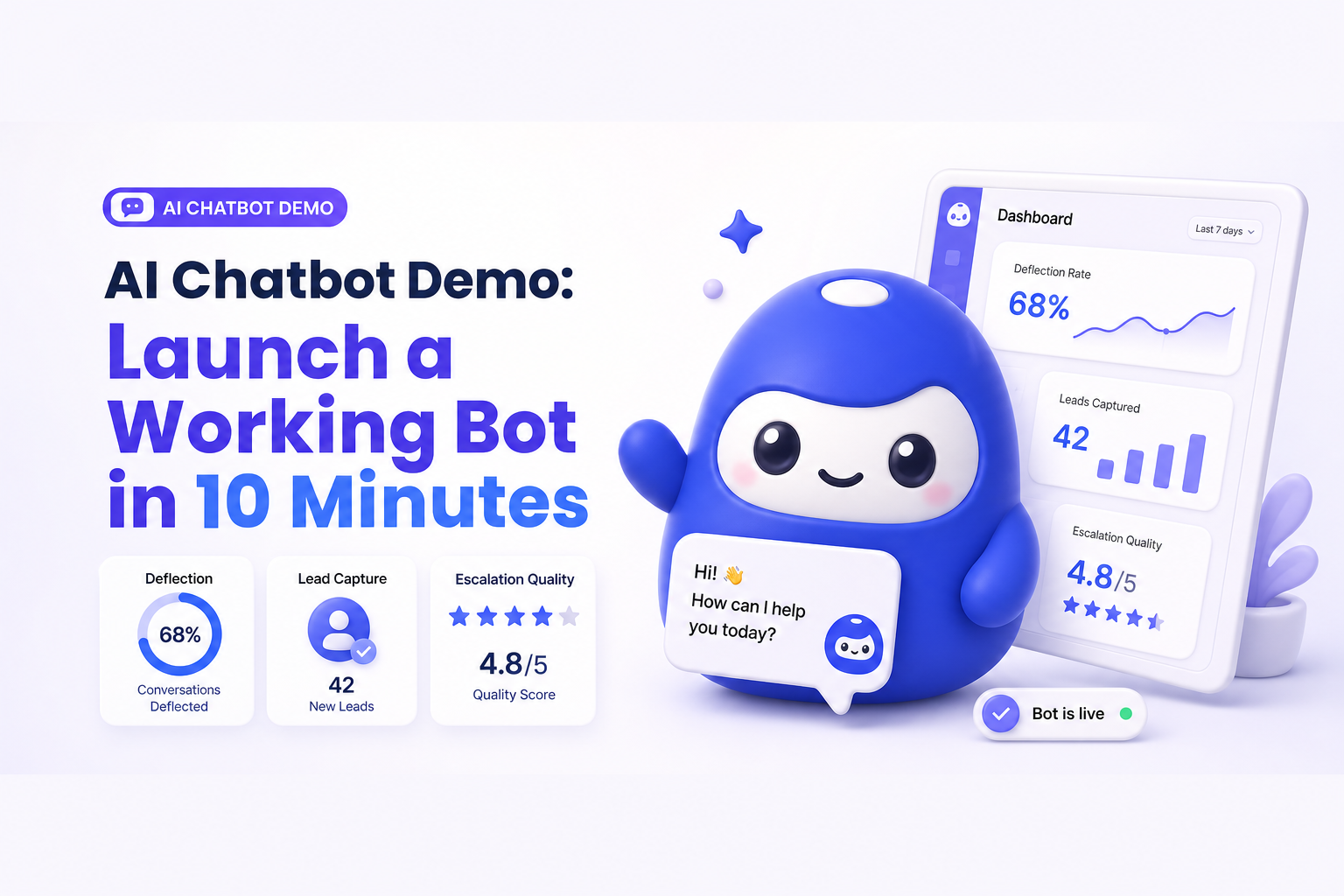
Do not measure “number of chats” alone. Measure outputs tied to revenue or cost. Here is a simple scoreboard you can use from day one:
| Output | How to measure | Why it matters |
|---|---|---|
| Ticket deflection | Percent of conversations resolved without human handoff | Lowers support load and cost per resolution |
| Lead capture | Number of leads captured from high intent questions | Turns support and marketing into one funnel |
| Time saved | Estimated minutes saved per deflected ticket | Builds a clear ROI story for internal buy in |
| Escalation quality | Percent of escalations with context (question, page, history) | Improves first response time and customer experience |
Weekly usage trigger: schedule a 15 minute weekly review to (1) scan unanswered questions, (2) add 5 new Q&As, (3) tighten handoff rules. This habit is what drives retention and compounding performance.
Common demo pitfalls (and how to avoid them)
- Pitfall: uploading everything at once. Fix: start with 10 to 20 Q&As and one flow, then expand weekly.
- Pitfall: no handoff logic. Fix: define a single rule for routing when confidence is low or intent is high.
- Pitfall: measuring vanity metrics. Fix: track deflection, lead capture, and escalation quality.
- Pitfall: no owner. Fix: assign one person to the weekly review and updates.
When to upgrade to a team plan
Start self serve to validate outcomes. Upgrade when collaboration and governance become the bottleneck. Practical signals:
- More than 2 people need to edit knowledge, flows, or responses
- You need roles and permissions (who can publish, who can approve)
- You need standard workflows for handoff to after sale support
- You need reporting by channel, topic, or team performance
- You are running multiple bots (different products, regions, or brands)
Team expansion is not about more seats. It is about protecting quality while scaling volume.
A simple decision checklist
Use this to decide if your AI chatbot demo is ready to move from trial to rollout:
- Activation: first live conversation within 10 minutes
- Coverage: at least 5 FAQs resolved end to end
- Handoff: escalations include context and reach the right workflow
- ROI signal: clear deflection or lead capture within 7 days
- Maintenance: weekly updates take under 15 minutes
FAQ
What should I expect from an AI chatbot demo in the first 10 minutes?
You should expect one measurable outcome: a resolved FAQ, a captured lead, or a correctly routed support request with context. If you only see a “cool conversation,” the demo is not set up for evaluation.
How many FAQs do I need to start?
Start with 10 to 20 high volume questions. This is enough to validate deflection and identify gaps without spending days on content.
How do I measure ROI without perfect data?
Use simple proxies: deflection rate times average minutes per ticket, plus the number of leads captured from high intent questions. Refine the model after week one.
When is a chatbot better than a traditional FAQ page?
When users ask the same questions in many different ways, and when you need routing or lead capture. A chatbot can reduce friction and collect intent signals that a static page cannot.
Next step: run your CX Genie self serve trial by launching the AI chatbot demo on one page today. Once you see consistent deflection or lead capture, upgrade to a team plan to add roles, approvals, and reporting for a reliable full flow from marketing automation to after sale support.